Making planting trees simple has always been one of our key objectives at Tree-Nation.
With the new update to the ‘My Contributions’ page, we made browsing, segregating, and retrieving all the trees you previously planted as easy as ever.
Now, if you want to find a specific tree you planted in the past, instead of scrolling through your Digital Forest and checking one tree at a time, you can filter by the service you planted the tree through as well as the date of planting, and find the tree you are looking for in an instant.
Each of your contribution records will also show the number of trees you planted at that time, your total CO2 offset value, as well as your Tree Certificate and URL.
With this new feature, retrieving URLs to resend your Tree Gifts or collecting your past tree certificates will not be a matter of hours but minutes, helping all of us reforest the world faster.
For those of you that run tree-gifting campaigns using ‘Offer Trees’, each contribution will display when your emails were delivered, how many were opened and the number of Tree Gifts collected. Just like your email marketing campaigns on Mailchimp.
For us to succeed in our mission of planting a trillion trees we must make planting not just trees, but large forests, as easy as possible for everyone involved.
We the new My Contributions page we believe to have moved in that direction.
What do you think? We would love to hear your feedback in the comments section below.
#MyContributions
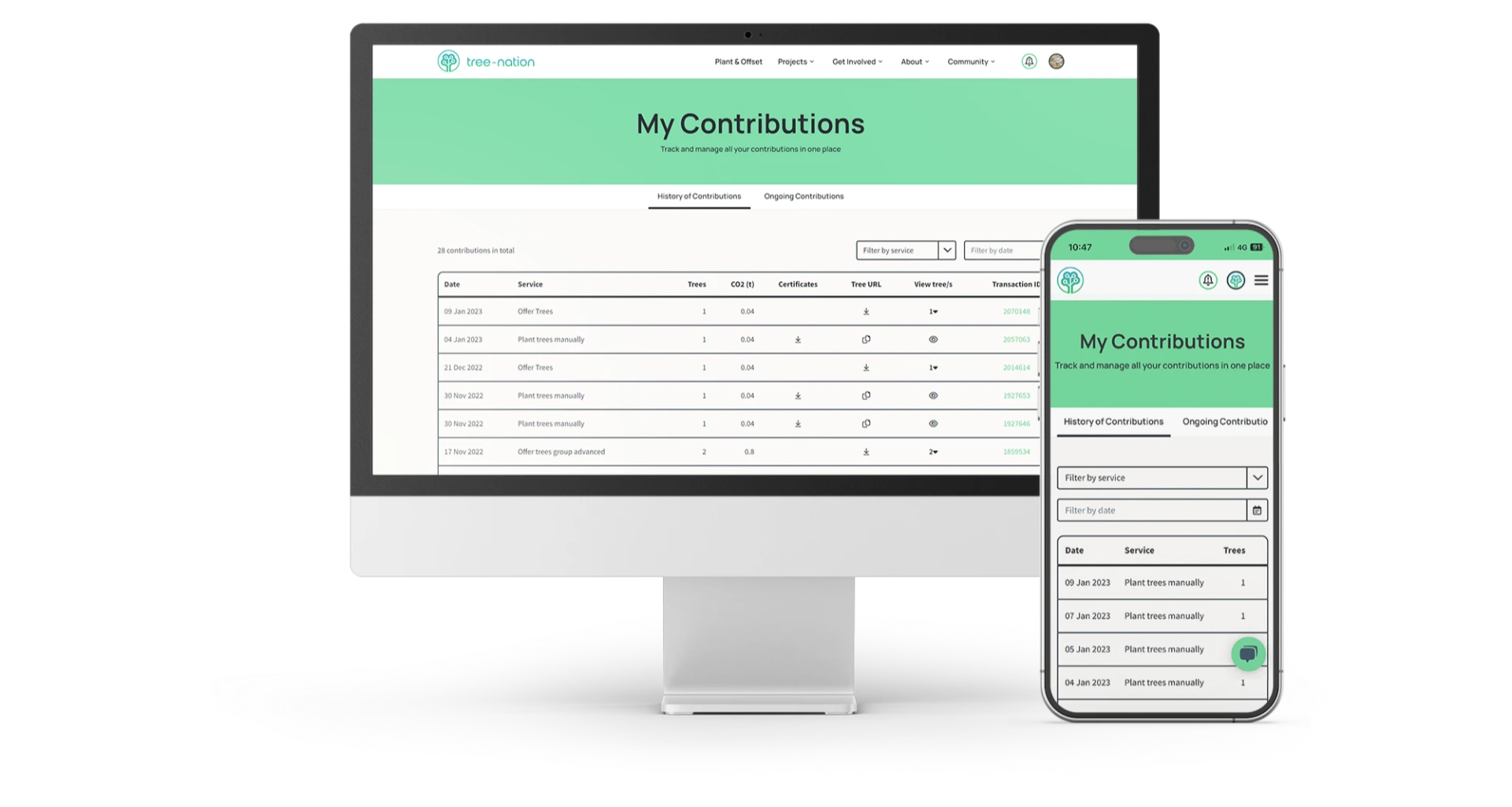
Introducing our new My Contributions page

Tree-Nation16 diciembre 2022


Descubrir


Términos de uso·Términos de contratación·Política de privacidad·Política de cookies··Copyright © 2006 - 2026 Tree-Nation NEOVEE SOLUTIONS, SL